

Description
Download Recover PDF Password – Secure PDF Password Recovery Tool
Overview
Recover PDF Password is a dedicated desktop utility designed to help users retrieve forgotten or lost passwords protecting PDF documents that they legally own. The software adopts a straightforward, single‑window interface that removes the complexity often associated with password‑cracking tools. By allowing you to define search preferences in a clear, step‑by‑step fashion, the program makes the recovery process accessible even for those without a technical background.
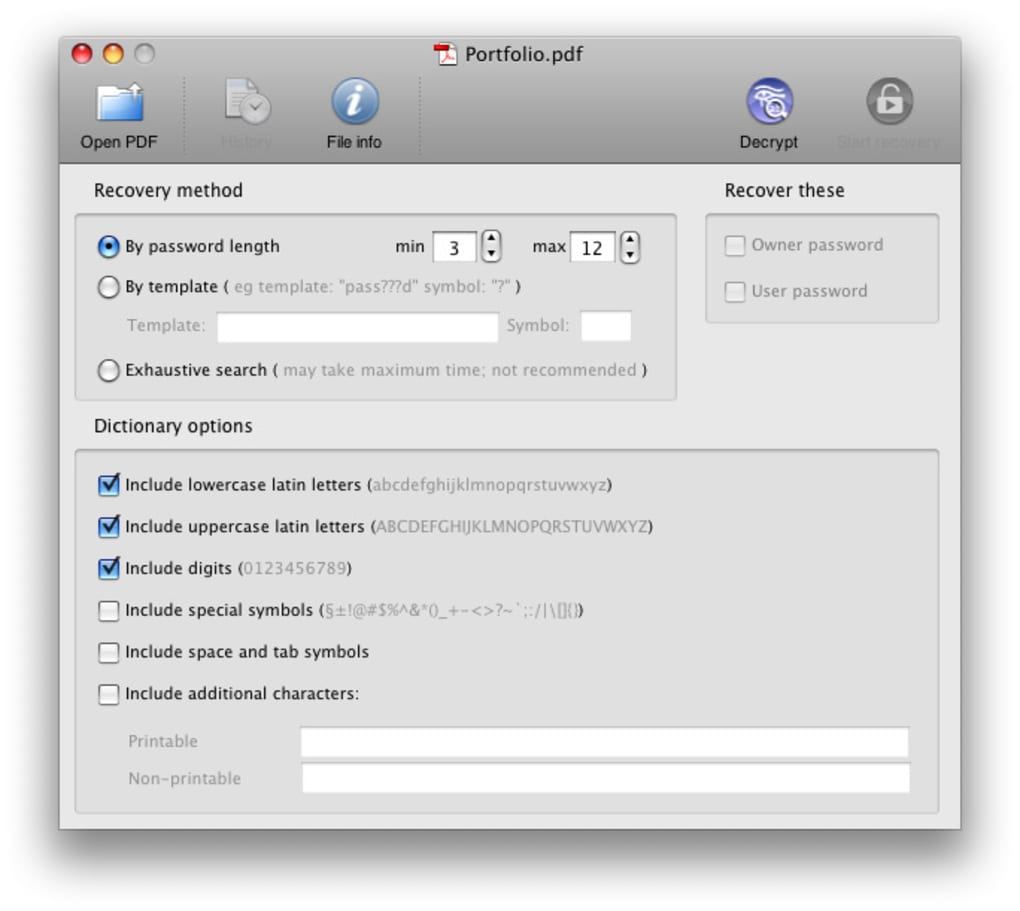
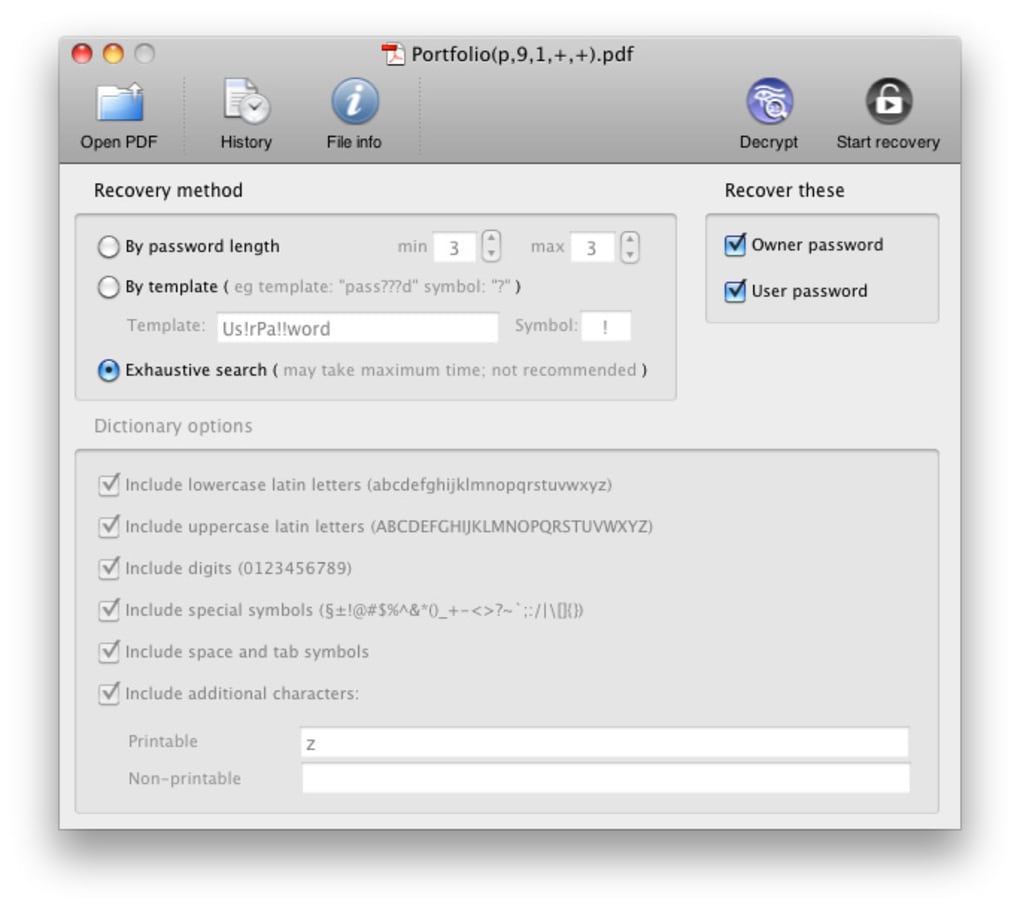
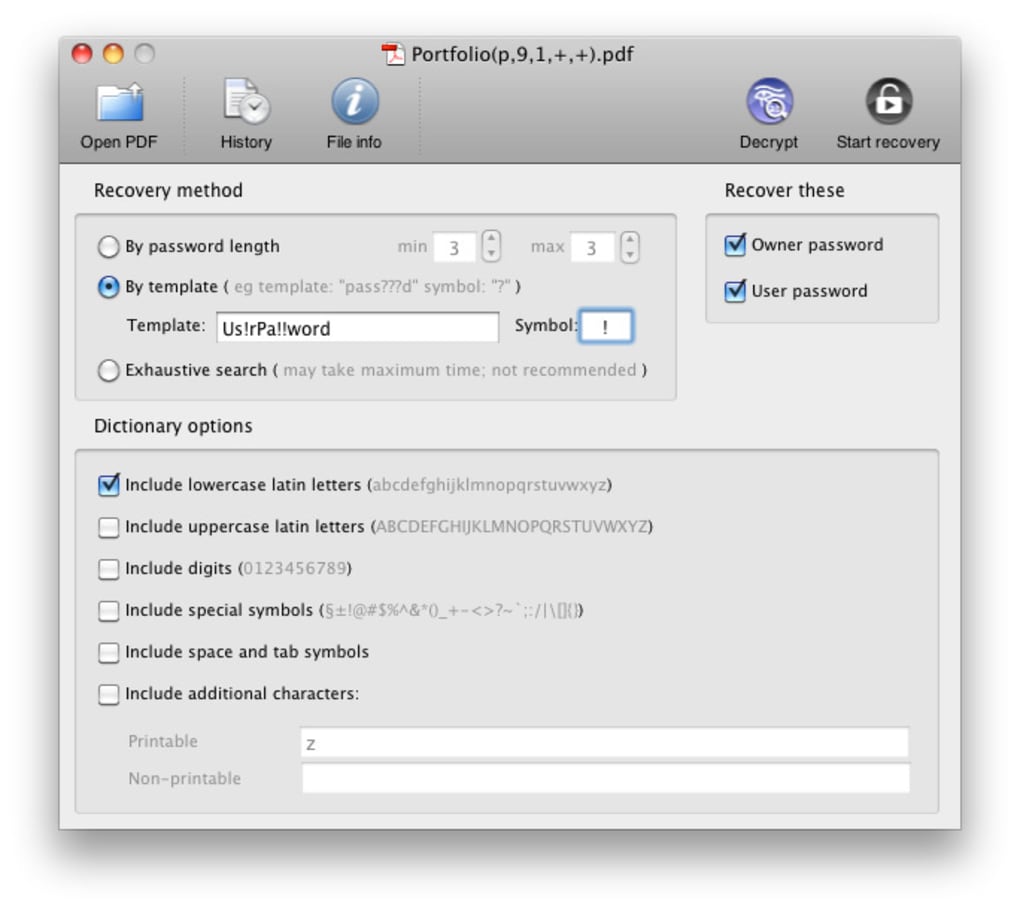
At its core, Recover PDF Password offers three distinct search strategies. The first method lets you set a specific password length ranging from 1 to 128 characters, which is ideal when you have a rough idea of how many characters the original password contained. The second strategy is a template‑based search: you can input known fragments of the password (for example, the first two characters and the last three) while leaving placeholders for the unknown parts. This dramatically reduces the search space and speeds up recovery. The third and most exhaustive approach is a brute‑force search that tries every possible combination. While the developers claim a “100 % success” rate for this mode, it can require hours or even days of processing time, especially for longer passwords.
Security and legality are built into the design. The tool does not store or transmit any password data, ensuring that your sensitive information remains on your local machine. It also includes a clear disclaimer that the software should only be used on PDFs you own or have explicit permission to access. This ethical stance, combined with a transparent user experience, positions Recover PDF Password as a reliable choice for individuals, small businesses, and legal professionals who need a trustworthy way to regain access to encrypted PDF files.
Key Features
- Three Search Modes: Length‑based, template‑based, and exhaustive brute‑force options give you flexibility based on how much you remember about the password.
- Adjustable Character Set: Choose between numeric, alphabetic, mixed‑case, and special characters to fine‑tune the search algorithm.
- Progress Monitoring: Real‑time status bar displays attempted combinations, estimated time remaining, and current speed.
- Multi‑Threaded Engine: Utilizes all available CPU cores for faster processing, especially useful in exhaustive mode.
- Secure Local Operation: No internet connection required; all calculations happen on your computer, ensuring privacy.
- Exportable Report: After a successful recovery, the tool can generate a simple PDF or TXT report documenting the password and recovery parameters.
- Automatic Updates: Built‑in updater checks for the latest algorithm improvements and compatibility patches.
Installation & Usage Instructions
Installing Recover PDF Password is a breeze. After downloading the installer from the official website, run the .exe (Windows) or .dmg (macOS) file. The wizard guides you through the standard steps: accept the license agreement, choose an installation folder, and click “Install”. Once the process completes, launch the application from the desktop shortcut or the Start Menu. The first time you open the program, you’ll be prompted to allow access to your file system; this permission is required to load the encrypted PDF you wish to recover.
Using the software follows a logical flow. Click the “Add PDF” button, browse to the protected file, and select it. The main window then presents three tabs corresponding to the three search modes. For a length‑based search, simply enter the known number of characters and optionally limit the character set (e.g., digits only). In template mode, type the known fragments and use an asterisk (*) as a wildcard for unknown characters. Finally, choose “Exhaustive” for a full brute‑force scan; you can also set a maximum time limit to prevent the process from running indefinitely.
After configuring your preferences, press “Start”. The application will display a live log of attempted passwords, and once the correct key is found, it will automatically unlock the PDF and present the password in a secure dialog box. You can then save the password, open the PDF directly from the program, or export a recovery report for documentation purposes.
Compatibility
Recover PDF Password runs natively on Windows 10/11 (both 32‑bit and 64‑bit) and macOS 10.13 or later. The software is not currently available for Linux, Android, or iOS devices, as the heavy CPU usage required for exhaustive searches is best handled by desktop-class hardware.
Pros and Cons
- Pros:
- Intuitive single‑window UI suitable for beginners.
- Three flexible search strategies accommodate different memory scenarios.
- Multi‑threaded engine accelerates brute‑force attempts.
- No internet connection required, preserving privacy.
- Automatic updates keep the algorithm current.
- Cons:
- Exhaustive mode can be time‑consuming for long, complex passwords.
- Only available for Windows and macOS; no mobile version.
- Requires a reasonably powerful CPU for best performance.
- No built‑in password manager integration.
Review Summary: Recover PDF Password offers a reliable, privacy‑focused solution for unlocking forgotten PDF passwords. While the exhaustive search can be slow, the variety of search options and the user‑friendly interface make it a solid choice for professionals and casual users alike.
Frequently Asked Questions
Can Recover PDF Password recover passwords for encrypted PDFs created with Adobe Acrobat?
Yes. The tool supports all standard encryption methods used by Adobe Acrobat, including 128‑bit and 256‑bit AES encryption.
Is the software safe to use on confidential documents?
Absolutely. All processing is performed locally; no data is uploaded to external servers, ensuring your confidential PDFs remain private.
What hardware requirements are recommended for the exhaustive search mode?
A modern multi‑core CPU (quad‑core or higher) with at least 8 GB of RAM is recommended. Faster CPUs will reduce the time needed for brute‑force attempts.
Can I limit the maximum time for a brute‑force attack?
Yes. The settings panel includes an option to set a time cap (e.g., 2 hours). The program will stop automatically once the limit is reached.
Is there a trial version available?
A fully functional 14‑day trial is offered, after which you’ll need to purchase a license to continue using the software.
Conclusion & Call to Action
Recover PDF Password stands out as a specialized, privacy‑first solution for anyone who needs to regain access to their own encrypted PDF files. Its blend of three search methods, a clean interface, and strong multi‑threaded performance makes it suitable for both novices and power users. While the exhaustive mode can be time‑intensive, the ability to narrow down searches with length or template criteria often leads to faster results. If you regularly work with secured PDFs—whether for legal, business, or personal reasons—this tool provides the confidence that a forgotten password won’t become a roadblock.
Ready to unlock your PDFs? Download Recover PDF Password today, start the free trial, and experience a secure, efficient way to retrieve lost passwords. Don’t let a forgotten key halt your workflow—take control with this trusted password recovery utility.
Guides & Tutorials for Recover PDF Password
How to install Recover PDF Password
- Click the Preview / Download button above.
- Once redirected, accept the terms and click Install.
- Wait for the Recover PDF Password download to finish on your device.
How to use Recover PDF Password
This software is primarily used for its core features described above. Open the app after installation to explore its capabilities.
User Reviews for Recover PDF Password 0
No reviews found





.webp)